
Layout
Stepper
Guide users through a sequence of steps
Overview
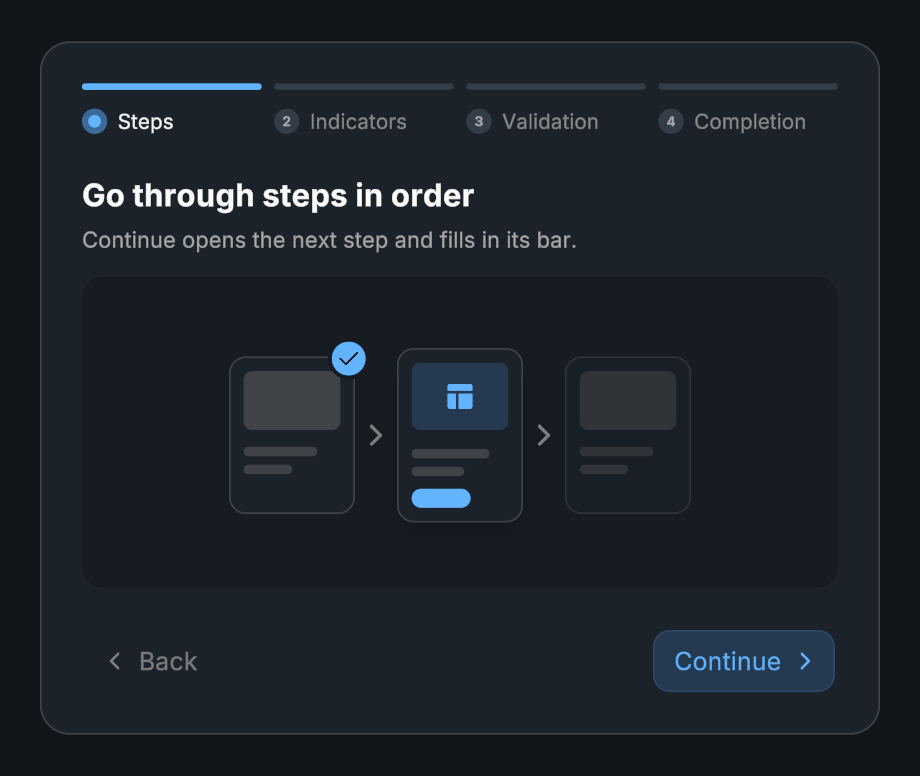
Stepper combines step indicators, content panels, and back/continue buttons. Use it for setup flows, forms, and other tasks with a clear sequence.
Usage
Create a Stepper and add its items. Each item supplies content and its step information.
Assign the indicator, content, and navigation references.
Choose whether users may skip steps or go backward.
Use SetCanContinue() to gate the current step on validation.
Bind On Completed to finish the flow.
Tips
- Choose horizontal or vertical orientation.
- Indicator size, spacing, separator appearance, content padding, and navigation text are configurable.
- Content and indicators have separate Duration and Ease settings under Animation. Pick Custom to draw your own curve.
- Completion content can replace the steps after the flow finishes.
Public API
Use Stepper in the Evo.UI namespace.
Properties
| Name | Type | Description |
|---|---|---|
CurrentIndex | int | Read-only active step index. |
CurrentItem | Item | Active item, or null. |
CanContinue | bool | Whether the current step permits continuing. |
IsCompleted | bool | Whether the flow is complete. |
IsTransitioning | bool | Whether a step transition is running. |
Fields
| Name | Type | Description |
|---|---|---|
items | List<Item> | Stepper.Item definitions. |
allowStepSkipping | bool | Allows skipping ahead. |
allowBackwardNavigation | bool | Allows returning to earlier steps. |
Methods
| Name | Parameters | Description |
|---|---|---|
SetCanContinue() | bool value | Changes the current step’s continuation flag. |
NextStep() | None | Advances or completes the flow. |
PreviousStep() | None | Navigates backward. |
GoToStep() | int index | Requests a step by index. |
TryGoToStep() | int index | Requests a step and reports success. Returns bool. |
Complete() | None | Requests completion. |
Restart() | None | Restarts the flow. |
Refresh() | None | Regenerates indicators and layout. |
Events
| Name | Type | Description |
|---|---|---|
onStepChanged | UnityEvent<int> | Invoked with the active step index. |
onCompleted | UnityEvent | Flow completed. |
Example
using UnityEngine;
using Evo.UI;

public class StepperExample : MonoBehaviour
{
    [SerializeField] private Stepper target;

    private void Start()
    {
        target.allowStepSkipping = false;
        target.SetCanContinue(false);
        target.onCompleted.AddListener(() => Debug.Log("Setup complete"));
        // Call SetCanContinue(true) after validating the current step.
    }
}