
Border Glow
Light the edge of a Graphic as the pointer approaches
Overview
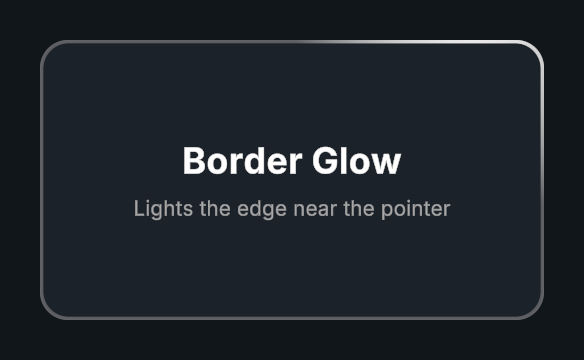
Border Glow draws pointer lighting along the inside of a sprite’s alpha edge or a Procedural Shape’s border. It can run on its own or through Interactive.
Usage
Add Border Glow or enable it on Interactive.
Assign the target Graphic.
Set border width, light radius, and color.
Choose Hover Only or Always visibility.
Customization
Ambient provides a minimum amount of light around the whole border while the effect is visible. Width and radius use local UI units. Follow and fade durations control motion and visibility.
Ignore Graphic Alpha keeps the glow at its own opacity when the graphic is translucent or fully transparent. The sprite or Procedural Shape outline still clips it, and Canvas Groups and masks still apply.
Public API
Use BorderGlow in the Evo.UI namespace.
Fields
| Name | Type | Description |
|---|---|---|
borderGlow | Settings | Settings object for the target and glow. |
Methods
| Name | Parameters | Description |
|---|---|---|
Show() | PointerEventData eventData = null | Shows the glow and follows a pointer event or the global pointer. |
Hide() | None | Fades out the glow. |
Settings
BorderGlow.Settings exposes enabled, targetGraphic, visibility, color, ignoreGraphicAlpha, width, ambient, radius, softness, followDuration, fadeInDuration, and fadeOutDuration.
Example
using UnityEngine;
using Evo.UI;

public class BorderGlowExample : MonoBehaviour
{
    [SerializeField] private BorderGlow target;

    private void Start()
    {
        target.borderGlow.width = 2f;
        target.borderGlow.radius = 140f;
        target.borderGlow.ambient = 0.1f;
        target.borderGlow.color = Color.cyan;
    }
}