
Effects
Warning Stripe
Display a scrolling stripe pattern through an Image
Overview
Warning Stripe is an Image with a procedural scrolling stripe material. Use it for warning areas, loading accents, and decorative separators.
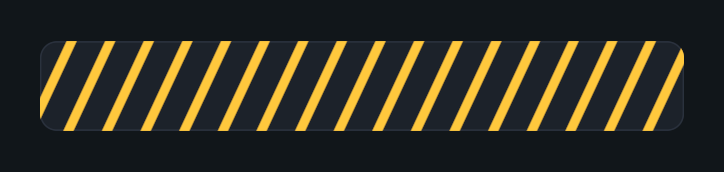
Usage
Add Warning Stripe to a UI rectangle.
Assign an optional sprite and set the Image color.
Adjust line width, spacing, angle, softness, and scroll speed in the Inspector.
Notes
This component derives directly from Image and does not need a separate Image component.
Public API
Use WarningStripe in the Evo.UI namespace. Its properties update the graphic automatically.
Properties
| Name | Type | Description |
|---|---|---|
LineWidth | float | Stripe width, from 0.01 to 0.5. One unit is 100 canvas units. |
LineSpacing | float | Space between stripes, from 0.01 to 1. One unit is 100 canvas units. |
LineAngle | float | Stripe angle in degrees, from -180 to 180. |
EdgeSoftness | float | Stripe edge softness in screen pixels, from 0.1 to 4. |
ScrollSpeed | float | Scroll speed, from -5 to 5. Negative values reverse the direction. |
Inherited properties
Use Image/Graphic properties such as sprite, color, raycastTarget, and material.
Example
using UnityEngine;
using Evo.UI;

public class WarningStripeExample : MonoBehaviour
{
    [SerializeField] private WarningStripe target;

    private void Start()
    {
        target.color = new Color(1f, 0.75f, 0.15f, 1f);
        target.LineWidth = 0.2f;
        target.LineSpacing = 0.2f;
        target.LineAngle = 45f;
        target.ScrollSpeed = 0.5f;
        target.raycastTarget = false;
    }
}