
Dot Matrix Loader
Animate a grid of dots with procedural loading patterns
Overview
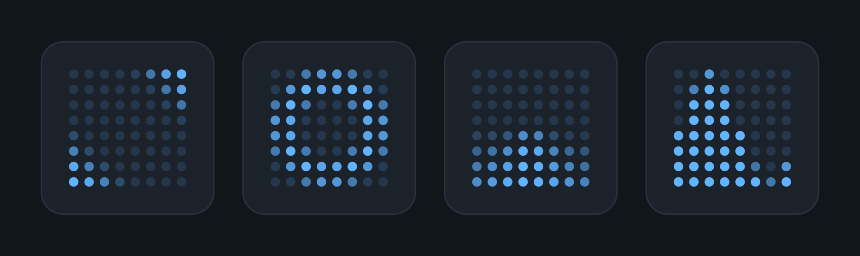
Dot Matrix Loader displays an animated grid of dots using a shader. Choose from eight patterns and three dot shapes without creating separate objects for each dot.
Usage
Add Dot Matrix Loader to a UI rectangle under a Canvas. The component is an Image, so it does not need a separate Image component.
Set the rectangle's size and the graphic color. Leave Material empty to use the built-in effect.
Choose Pattern, Dot Shape, and Grid Size in Settings.
Adjust Dot Size, Speed, and Trail Length to control the appearance and animation.
Customization
- Pattern offers Wave, Rings, Radar, Spiral, Snake, Equalizer, Checkerboard, and Pulse. Dot Shape offers Circle, Square, and Diamond.
- Grid Size sets columns and rows, from 1 to 64 on each axis. The grid stays centered with square cells, so a rectangle with a different aspect ratio can leave empty space around it.
- Inactive Alpha and Inactive Scale control how visible and how large the dots remain between animation peaks.
- Negative Speed reverses the animation. A speed of 0 displays the static phase selected by Phase Offset.
- Trail Length controls the spread of active dots. It is not used by Equalizer.
Notes
This is a visual activity indicator. Use Progress Bar when you need to display a known completion value.
The animation runs automatically through the shader. Setting Speed to 0 selects a static phase; it does not preserve the current animated frame. A custom material owns its own settings, so clear Material to use the component's controls.
Public API
Use DotMatrixLoader in the Evo.UI namespace. Its properties update the graphic automatically.
Properties
| Name | Type | Description |
|---|---|---|
Pattern | DotMatrixLoader.PatternType | Animation pattern. |
Shape | DotMatrixLoader.DotShape | Circle, Square, or Diamond. |
GridSize | Vector2Int | Columns and rows, clamped to 1–64 per axis. |
DotSize | float | Dot size relative to a cell, from 0.05 to 1. |
InactiveAlpha | float | Opacity multiplier for inactive dots, from 0 to 1. |
InactiveScale | float | Scale multiplier for inactive dots, from 0 to 1. |
EdgeSoftness | float | Dot edge softness, from 0.1 to 2. |
Speed | float | Animation cycles per second, from -5 to 5. |
PhaseOffset | float | Animation phase offset, from 0 to 1. |
TrailLength | float | Pattern trail length, from 0.05 to 1. Unused by Equalizer. |
Example
using UnityEngine;
using Evo.UI;

public class DotMatrixLoaderExample : MonoBehaviour
{
    [SerializeField] private DotMatrixLoader target;

    private void Start()
    {
        target.Pattern = DotMatrixLoader.PatternType.Wave;
        target.Shape = DotMatrixLoader.DotShape.Circle;
        target.GridSize = new Vector2Int(8, 8);
        target.DotSize = 0.6f;
        target.Speed = 1f;
        target.raycastTarget = false;
    }

    public void SetLoading(bool loading)
    {
        target.gameObject.SetActive(loading);
    }
}