
UI Elements
Color Picker
Choose colors through a wheel, sliders, or hex input
Overview
Color Picker keeps a color wheel, HSV controls, opacity, and hex input in sync.
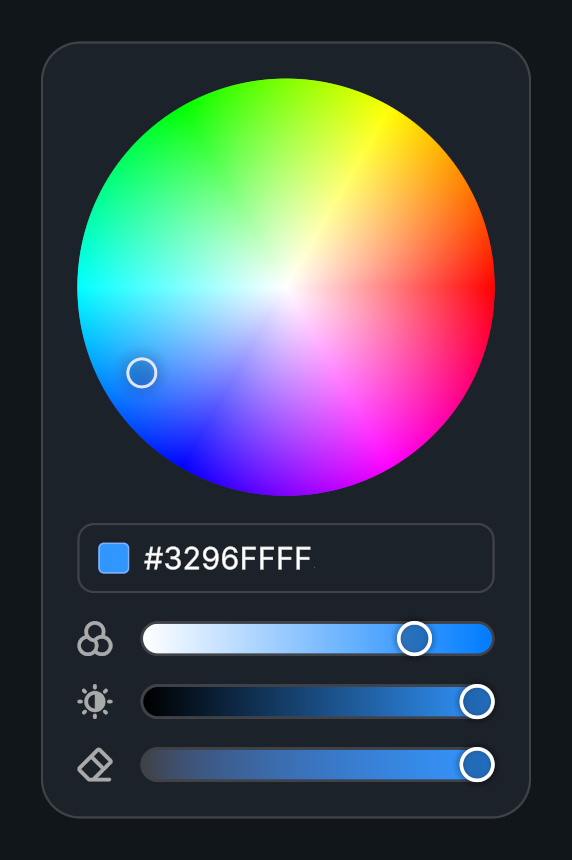
Usage
Create a Color Picker prefab.
Choose the starting color and configure its available controls.
Connect On Color Changed to update the object or setting being edited.
Public API
Use ColorPicker in the Evo.UI namespace.
Fields
| Name | Type | Description |
|---|---|---|
startColor | Color | Initial and reset color. |
resetOnRightClick | bool | Allows right-click reset. |
colorPreview | ProceduralShape | Procedural Shape displaying the current color. |
Methods
| Name | Parameters | Description |
|---|---|---|
SetColor() | Color color | Changes the selected color and updates the controls. |
GetCurrentColor() | bool withoutBrightness = false | Returns the current color; optionally omits brightness. Returns Color. |
SetRGB() | float r, float g, float b | Sets red, green, and blue channels. |
SetRed() | float value | Sets the red channel. |
SetGreen() | float value | Sets the green channel. |
SetBlue() | float value | Sets the blue channel. |
SetAlpha() | float value | Sets opacity. |
Events
| Name | Type | Description |
|---|---|---|
onColorChanged | UnityEvent<Color> | Invoked with the selected Color. |
Example
using UnityEngine;
using Evo.UI;

public class ColorPickerExample : MonoBehaviour
{
    [SerializeField] private ColorPicker target;

    private void Start()
    {
        target.SetColor(new Color(0.2f, 0.6f, 1f, 1f));
        target.onColorChanged.AddListener(color => Debug.Log($"Color: {color}"));
    }
}