
UI Elements
Modal Window
Present a focused confirmation or message
Overview
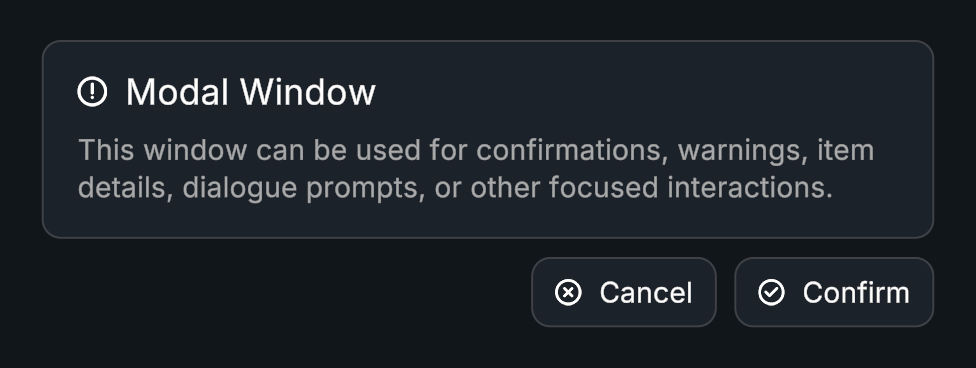
Modal Window presents a title, description, optional icon, and confirm/cancel actions. Open and close animations use Evo Tween sequences.
Usage
Create a Modal Window prefab.
Set its content and configure confirm/cancel callbacks.
Choose whether it disables or destroys itself when closed.
Call Open() from the action that displays it.
Tips
- Use Focused navigation when selection should stay inside the modal, or Free navigation for normal selection behavior.
- Edit the open and close sequences for motion and fading.
- When an action needs validation, disable Close On Confirm. Keep the window open while the input is invalid, then close it after validation succeeds.
Public API
Use ModalWindow in the Evo.UI namespace.
Properties
| Name | Type | Description |
|---|---|---|
Title | string | Displayed title. |
Description | string | Body text. |
Icon | Sprite | Optional icon. |
IsOpen | bool | Read-only open state. |
Fields
| Name | Type | Description |
|---|---|---|
closeOnConfirm | bool | Closes after confirmation. |
closeOnCancel | bool | Closes after cancellation. |
closeBehavior | CloseBehavior | Disable or Destroy after closing. |
navigationMode | NavigationMode | Focused or Free selection behavior. |
Methods
| Name | Parameters | Description |
|---|---|---|
Open() | None | Opens the window. |
Close() | None | Closes with its configured animation. |
Events
| Name | Type | Description |
|---|---|---|
onOpen | UnityEvent | Window opened. |
onClose | UnityEvent | Window closed. |
onConfirm | UnityEvent | Confirm action invoked. |
onCancel | UnityEvent | Cancel action invoked. |
Example
using UnityEngine;
using Evo.UI;

public class ModalWindowExample : MonoBehaviour
{
    [SerializeField] private ModalWindow target;

    private void Start()
    {
        target.Title = "Leave this screen?";
        target.Description = "Your saved progress will be kept.";
        target.onConfirm.AddListener(() => Debug.Log("Confirmed"));
        target.Open();
    }
}