
Distribution Bar
Display relative values as horizontal or vertical bar segments
Overview
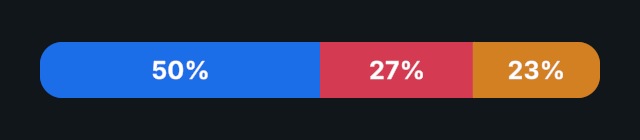
Distribution Bar divides a bar into ordered segments based on their share of the total. It supports horizontal and vertical layouts, optional value or percentage text, and smoothed value changes.
Values do not need to add up to 100. For example, values of 30 and 20 produce shares of 60% and 40%.
Usage
Use the Evo UI Create menu and choose Progress Bar → Distribution (Two Sides) or Distribution (Three Sides).
Edit Segments, assigning a label, value, and separate Fill Rect for each entry. Assign optional Value Text references for numeric labels.
Choose Direction, then configure Text Display, Display Format, and Minimum Text Percentage.
Enable Smoothing and set its duration and curve. Update values through SetValue() or SetValues() at runtime.
Notes
- All fill rectangles should share the same parent, without a Layout Group controlling them. The bar drives their anchors and offsets. Assign a different fill and text reference to each segment.
- Set each segment's color on its fill graphic. Label identifies the segment in the Inspector; Value Text displays its number or percentage.
- Minimum Text Percentage hides text for small shares in both text display modes. Zero-value text is always hidden.
- Negative and non-finite values are treated as 0. When the total is 0, all fills collapse and value text is hidden.
- Smoothing uses unscaled time. Changes to or from an empty distribution, or changes to the segment list structure, apply immediately.
- Call
Refresh()after directly editing segments, references, or settings at runtime. It updates immediately by default and does not invoke the value event. UseRefresh(false)to request smoothing when possible.
Public API
Use DistributionBar in the Evo.UI namespace.
Properties
| Name | Type | Description |
|---|---|---|
SegmentCount | int | Number of entries in the segment list. Read-only. |
TotalValue | double | Sum of finite, positive segment values. Read-only. |
Fields
| Name | Type | Description |
|---|---|---|
segments | List<DistributionBar.Segment> | Ordered segment values and UI references. |
direction | DistributionBar.Direction | LeftToRight, RightToLeft, BottomToTop, or TopToBottom. |
textDisplay | DistributionBar.TextDisplay | Percentage or Value. |
displayFormat | NumberDisplayFormat | Shared number format for value text. |
minimumTextPercentage | float | Share threshold for showing text, from 0 to 100. |
enableSmoothing | bool | Animates value changes when possible. |
smoothingDuration | float | Animation duration in seconds. |
smoothingCurve | AnimationCurve | Curve used for value animation. |
Segment Fields
Each DistributionBar.Segment contains:
| Name | Type | Description |
|---|---|---|
label | string | Segment name shown in the Inspector. |
value | float | Segment value before normalization. |
fillRect | RectTransform | Fill rectangle controlled by the bar. |
valueText | Graphic | Optional numeric text for the segment, from any text provider. |
Methods
| Name | Parameters | Description |
|---|---|---|
GetValue() | int index | Returns the nonnegative, finite value, or 0 for an invalid index. |
GetNormalizedValue() | int index | Returns the segment's share from 0 to 1, or 0 when no share exists. |
SetValue() | int index, float value, bool sendCallback = true, bool instant = false | Updates one segment. Invalid indices are ignored. |
SetValues() | IReadOnlyList<float> values, bool sendCallback = true, bool instant = false | Updates all values with one refresh and at most one value event. Requires one value per segment. |
Refresh() | bool instant = true | Applies direct edits without invoking the value event. |
SetValues() throws ArgumentNullException for a null list and ArgumentException when the value count does not match SegmentCount. Getters return the stored target values and shares, even while the display is animating.
Events
| Name | Type | Description |
|---|---|---|
onValuesChanged | UnityEvent | Invoked when a setter changes values and sendCallback is true. Has no arguments and does not wait for smoothing to finish. |
Example
using UnityEngine;
using Evo.UI;

public class DistributionBarExample : MonoBehaviour
{
    [SerializeField] private DistributionBar target;

    private void Start()
    {
        // Use a two-segment bar with its fill references assigned.
        if (target.SegmentCount != 2)
            return;

        target.direction = DistributionBar.Direction.LeftToRight;
        target.textDisplay = DistributionBar.TextDisplay.Percentage;
        target.SetValues(new float[] { 70f, 30f }, instant: true);
    }

    public void UpdateShares(float first, float second)
    {
        if (target.SegmentCount == 2)
            target.SetValues(new float[] { first, second });
    }
}