
Timer
Countdowns, elapsed time, and a local clock with animated digits
Overview
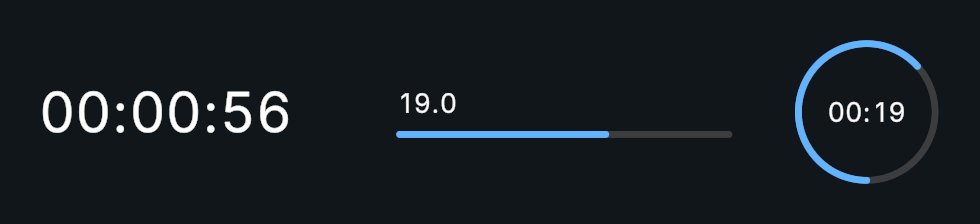
Timer displays a countdown, a count-up timer, or the local time of day. It can drive a progress fill and animate changing digits.
Usage
Create a Timer and assign its optional value text and fill.
Set Duration, choose Count Down, and select the time format.
Call ResetTimer() to initialize the starting value, then StartTimer(), or enable Auto Start.
Customization
Display and Fill
Use Enable Rolling for rolling whole-second digits. Decimal places update immediately. Invert Fill reverses only the visible fill. A Procedural Shape’s clipping settings determine the fill direction.
The value text can use any text provider. Use Uniform Digit Width stops changing digits from shifting the time. With TextMesh Pro, it requires Rich Text on the text, and Digit Width Scale adjusts the measured digit width. UniText uses the font's tabular figures instead.
Local System Clock
Enable Use System Clock to display the local time of day. In this mode the fill represents a 24-hour day; duration, count direction, speed, and looping are ignored. This mode is a clock display, not a countdown to a target date.
Notes
PauseTimer() pauses without firing onTimerStop; StopTimer() invokes that event. Normal completion invokes onTimerComplete, not onTimerStop. Set Use Unscaled Time when the timer must keep running at Time.timeScale = 0.
Public API
Use Timer in the Evo.UI namespace.
Properties
| Name | Type | Description |
|---|---|---|
IsRunning | bool | Read-only running state. |
IsCompleted | bool | Read-only completion state. |
UseUniformDigitWidth | bool | Gives every digit the same width so the time never shifts. |
Fields
| Name | Type | Description |
|---|---|---|
duration | float | Countdown/count-up duration in seconds. |
currentTime | float | Current seconds; elapsed since midnight in clock mode. |
countDown | bool | Counts toward zero when enabled. |
useSystemClock | bool | Displays local time instead of a duration timer. |
useUnscaledTime | bool | Ignores the gameplay time scale. |
enableRolling | bool | Animates whole-second digit changes. |
invertFill | bool | Reverses the fill without changing time. |
Methods
| Name | Parameters | Description |
|---|---|---|
StartTimer() | None | Starts a timer that is not already running. |
PauseTimer() | None | Pauses time progression. |
ResumeTimer() | None | Resumes a paused timer. |
StopTimer() | None | Stops and invokes the stop event. |
ResetTimer() | None | Restores the starting time or refreshes the clock. |
SetCurrentTime() | float newTime | Sets seconds and notifies listeners. |
SetCurrentTimeWithoutNotify() | float newTime | Sets seconds without the value event. |
AddTime() | float timeToAdd | Adds seconds to currentTime. |
SubtractTime() | float timeToSubtract | Subtracts seconds from currentTime. |
GetRemainingTime() | None | Returns remaining seconds in the time range. Returns float. |
GetElapsedTime() | None | Returns elapsed seconds in the time range. Returns float. |
Events
| Name | Type | Description |
|---|---|---|
onValueChanged | UnityEvent<float> | Invoked with current seconds. |
onTimerComplete | UnityEvent | Invoked on reaching the end, before a loop restarts. |
onTimerStart | UnityEvent | Invoked when StartTimer starts a stopped timer. |
onTimerStop | UnityEvent | Invoked by StopTimer. |
onTimerReset | UnityEvent | Invoked after reset. |
Example
using UnityEngine;
using Evo.UI;

public class TimerExample : MonoBehaviour
{
    [SerializeField] private Timer target;

    private void Start()
    {
        target.useSystemClock = false;
        target.duration = 60f;
        target.countDown = true;
        target.enableRolling = true;
        target.ResetTimer();
        target.onTimerComplete.AddListener(() => Debug.Log("Time is up"));
        target.StartTimer();
    }
}