
UI Elements
Notification
Temporary messages with optional stacking and sound
Overview
Notification displays a short message with an optional icon and description. It supports automatic closing, stacking, sound effects, and Evo Tween animation sequences.
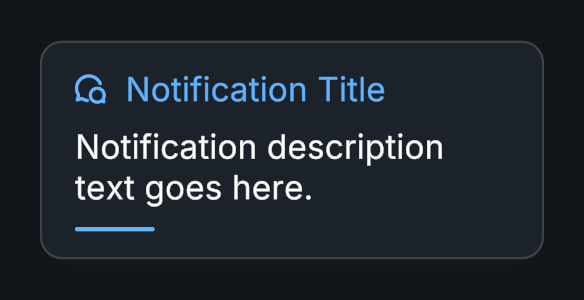
Usage
Create a Notification prefab and set its content.
Choose Auto Close and its delay.
Enable stacking when multiple notifications share a display area.
Call Open(), or use Notification.Create() to spawn a configured instance.
Public API
Use Notification in the Evo.UI namespace.
Pass openAfter: false to Create() when you need to configure a spawned notification before showing it.
Properties
| Name | Type | Description |
|---|---|---|
Title | string | Displayed title. |
Description | string | Displayed description. |
Icon | Sprite | Displayed sprite. |
IsOpen | bool | Read-only open state. |
Fields
| Name | Type | Description |
|---|---|---|
autoClose | bool | Closes after the delay. |
autoCloseDelay | float | Seconds before automatic closing. |
showDurationBar | bool | Shows the remaining auto close time on the duration bar. |
durationBar | ProceduralShape | Bar clipped by the remaining auto close time. Leave empty to skip it. |
enableStacking | bool | Coordinates multiple notifications. |
destroyAfter | bool | Destroys after closing. |
Methods
| Name | Parameters | Description |
|---|---|---|
Open() | None | Opens the notification. |
Close() | None | Closes with animation. |
ForceClose() | None | Closes immediately. |
SetContent() | Sprite newIcon, string newTitle, string newDescription | Changes icon, title, and description together. |
Create() | GameObject preset, Sprite icon, string title, string description, Transform parent, bool openAfter = true | Instantiates a notification under a parent and optionally opens it. Returns Notification. |
Example
using UnityEngine;
using Evo.UI;

public class NotificationExample : MonoBehaviour
{
    [SerializeField] private Notification target;

    private void Start()
    {
        target.Title = "Saved";
        target.Description = "Your settings are up to date.";
        target.autoCloseDelay = 3f;
        target.Open();
    }
}