
Input Field
Placeholder animation and submission behavior for input fields
Overview
Input Field Enhancer adds floating-placeholder motion and submission options to an input field of any text provider, such as a TextMesh Pro TMP_InputField or a UniText UniTextEditable. Text editing remains the responsibility of that field.
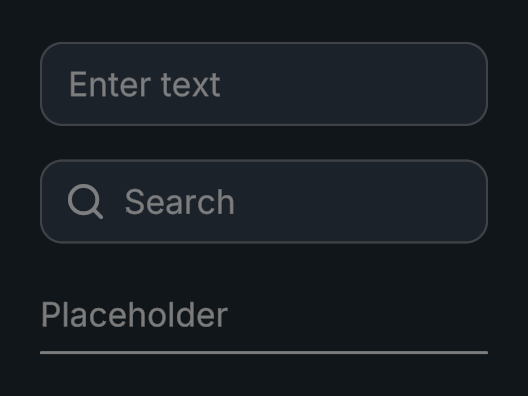
Usage
Create an Evo UI Input Field prefab, or add Input Field Enhancer to an object with an input field.
Assign Source and the optional Interactive reference.
Configure placeholder slide, scale, and fade.
Bind On Submit to a method accepting the entered string.
Tips
- Use Slide Offset, Scale Multiplier, and Fade Alpha to tune the combined placeholder animation.
- Choose whether submission clears the field or ends its selection.
- Handle Shift Enter is TextMesh Pro only. For UniText fields, set the field's Submit Key behavior to Enter instead.
Public API
Use InputFieldEnhancer in the Evo.UI namespace.
source holds the provider's input field component. Read or set its value through TextProvider, or cast it to the provider's type (for example, TMP_InputField) to access validation, content type, and editing events.
Fields
| Name | Type | Description |
|---|---|---|
source | MonoBehaviour | Input field that owns the text and editing behavior, from any text provider. |
clearAfterSubmit | bool | Clears text after submission. |
deselectOnEndEdit | bool | Deselects after editing ends. |
handleShiftEnter | bool | Enables the enhancer’s Shift+Enter handling. TextMesh Pro only. |
slideOffset | Vector2 | Placeholder movement offset. |
scaleMultiplier | float | Placeholder scale when moved. |
fadeAlpha | float | Placeholder alpha when moved. |
Methods
| Name | Parameters | Description |
|---|---|---|
Focus() | None | Selects and activates the input field. |
SetInteractable() | bool value | Changes input availability. |
Events
| Name | Type | Description |
|---|---|---|
onSubmit | UnityEvent<string> | Invoked with submitted text. |
Example
using UnityEngine;
using Evo.UI;

public class InputFieldEnhancerExample : MonoBehaviour
{
    [SerializeField] private InputFieldEnhancer target;

    private void Start()
    {
        TextProvider.SetValue(target.source, "Player", notify: true);
        target.onSubmit.AddListener(text => Debug.Log($"Submitted: {text}"));
        target.Focus();
    }
}