
UI Elements
Radio Button
Keep one button selected within a group
Overview
Radio Button Group coordinates a set of Evo UI Buttons so only one is selected at a time. An optional indicator moves between the selected buttons.
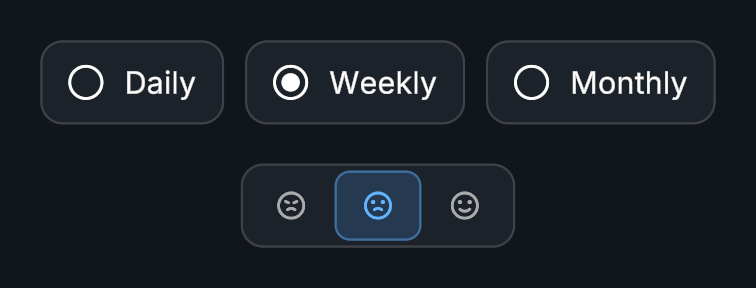
Usage
Place the buttons under a shared parent and add Radio Button Group.
Assign Target Parent, or use the group’s own hierarchy.
Choose the initial selected index and whether deselection is allowed.
Connect On Selection Changed to the setting controlled by the group.
Tips
- The indicator can size itself to the selected button. Adjust its direction, stretch, duration, and curve to match the layout.
- Indices follow the collected button order. Call
Initialize()after changing the hierarchy to collect the buttons again.
Public API
Use RadioButtonGroup in the Evo.UI namespace.
Fields
| Name | Type | Description |
|---|---|---|
selectedIndex | int | Current selected index; -1 means none. |
allowDeselection | bool | Allows an already selected button to be deselected. |
Methods
| Name | Parameters | Description |
|---|---|---|
Initialize() | None | Rebuilds the group. |
SetButton() | int index | Selects a button with animation and selection events enabled. |
SetButton() | int index, bool animate, bool invokeEvents = true | Selects a button with animation and event controls. |
DeselectAll() | None | Clears the selection. |
GetButton() | None | Gets the currently selected button. Returns Button. |
GetButton() | int index | Gets the button at an index, or null if the index is invalid. Returns Button. |
IsButtonSelected() | int index | Checks whether the specified button is selected. Returns bool. |
SetInteractable() | bool interactable | Changes input availability for the group. |
Events
| Name | Type | Description |
|---|---|---|
onSelectionChanged | UnityEvent<int> | Invoked with the selected index. |
Example
using UnityEngine;
using Evo.UI;

public class RadioButtonGroupExample : MonoBehaviour
{
    [SerializeField] private RadioButtonGroup target;

    private void Start()
    {
        target.SetButton(0, false, false);
        target.onSelectionChanged.AddListener(index => Debug.Log($"Selected {index}"));
    }
}